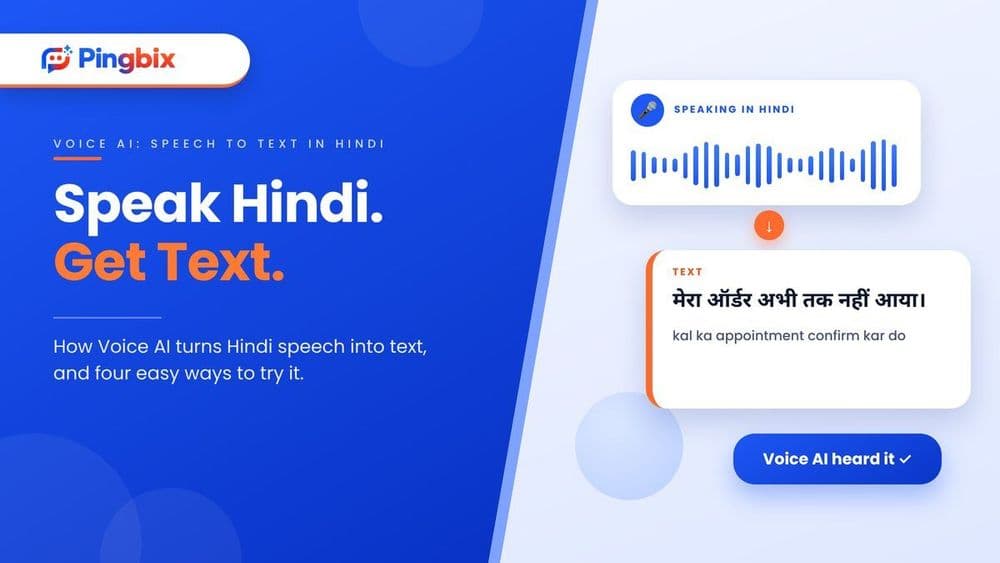
Speech to Text in Hindi: 4 Easy Ways and How Voice AI Uses It
You record a 20-minute meeting in Hindi. Now someone has to sit down and type every word.
Most of us would rather speak than type, and in Hindi it is even more true. Typing in Devanagari on a phone is slow, and many people switch between Hindi and English in the same sentence. For this reason, more people now search for speech to text in Hindi every month.
However, not every method works the same way. Some are good for quick notes, some for recordings, and some for business calls. That being said, it can be hard to know which one to pick. For that reason, in this article, I will explain what speech to text in Hindi is, four ways to do it, and how Voice AI uses it to understand customer calls. So, let's get started with a quick overview.
Speech to text in Hindi: At a glance
Before diving into the details, let us take a look at the four ways side by side.
| Phone voice typing | Google Docs voice typing | Online audio tools | Voice AI for business calls | |
|---|---|---|---|---|
| Best for | Messages, notes, quick replies | Longer notes and drafts | Recorded audio or video files | Customer calls at scale |
| Where | Phone keyboard | Google Docs in Chrome | A website | A business system |
| Input | Live voice | Live voice | A recording | Live phone calls |
| Setup | None | None | Upload a file | Set up by a provider |
| Does more than type? | No | No | Sometimes (summary, translation) | Yes, it can also reply and take action |
In one line: for personal use, the first three are enough. For customer calls, you need something built for the job.
But looking at this table, you cannot get a clear idea of which one suits you. So, let's check them out in particular:
What is speech to text in Hindi?
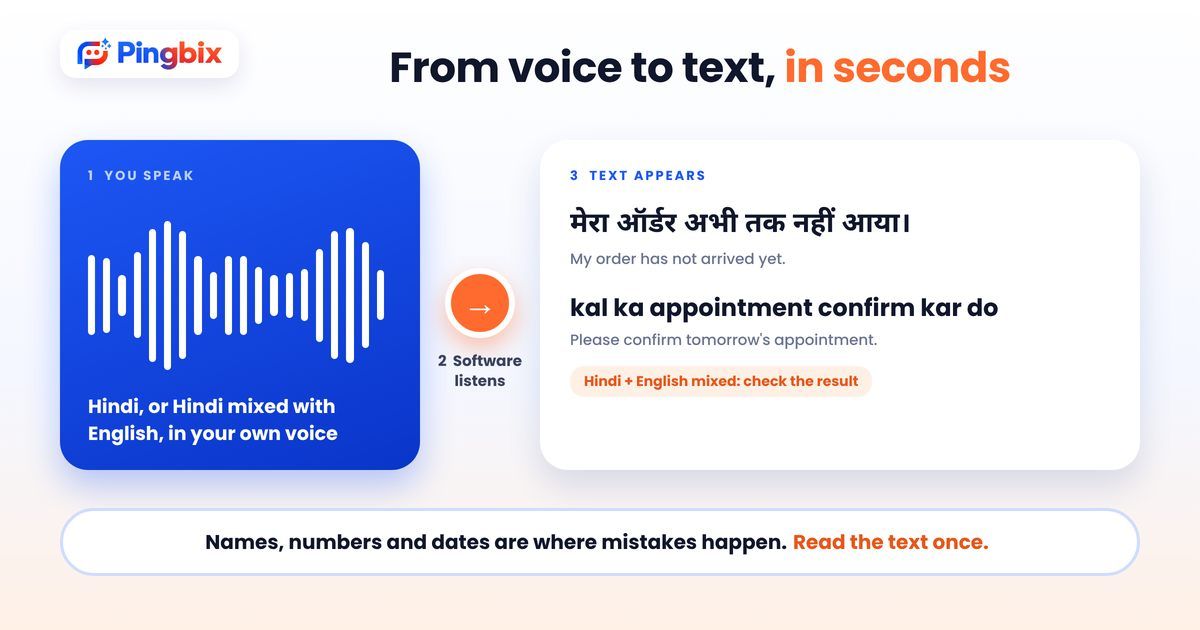
Speech to text in Hindi means turning spoken Hindi into written text. You speak, and the software writes down what it hears, in Devanagari or sometimes in Roman letters.
It sounds simple, but Hindi is not easy for software. People mix Hindi and English ("kal ka appointment confirm kar do"). Accents change from city to city. Names, numbers and brand names are easy to get wrong. Good tools handle most of this, and the rest you fix by hand.
Way 1: Voice typing on your phone
This is the easiest way, and it is already on your phone.
- Open any app where you can type, such as Notes, WhatsApp or Gmail.
- Tap the microphone icon on your keyboard.
- Choose Hindi as the language, if it isn't already selected.
- Speak in a clear, steady voice. The text appears as you talk.
On iPhone, you may need to switch on Dictation and add the Hindi keyboard in your settings first. The exact steps can differ by phone and version.
It is best for short messages and quick notes. For a long recording, it isn't the right tool.
Way 2: Voice typing in Google Docs
If you need to write something longer on a laptop, Google Docs has a built-in option.
- Open a Google Docs document in the Chrome browser.
- Go to Tools, then Voice typing.
- Click the microphone icon, and choose Hindi from the language list.
- Click the icon again and start speaking.
It works only in Chrome, and it needs a working microphone and internet. It is good for drafts, meeting notes and blog outlines. You will still need to read through the text and fix mistakes.
Way 3: Online tools for recorded audio
What if you already have a recording, like a meeting, a voice note or a video? Then an online audio-to-text tool is the better choice.
The steps are usually the same:
- Open the tool and choose Hindi as the audio language.
- Upload your audio or video file.
- Wait for the text, then read it and fix any mistakes.
- Copy the text or download it.
Many of these tools have free versions, but they may limit the length of the file or ask you to sign up. Some can also give you a summary or a translation. One thing to keep in mind: don't upload private customer calls or personal details to a free tool, because you won't know where that data goes.
Way 4: Voice AI for business calls
In simple words, Voice AI is a phone system that can listen to a caller, understand them and reply by voice, like a trained agent. The first three ways are made for one person typing by voice. A business has a different need. Thousands of customers call, and they speak Hindi, English or a mix of both. Someone has to understand what each one wants.
This is where Voice AI comes in. A Voice AI system listens to the caller, turns their speech into text, understands what they need, and replies by voice. Speech to text is the first step in that chain. Without it, the system can't understand the caller at all.
Businesses use this for:
- Routine calls, like order status, appointment timings and payment reminders
- Call records, so you can read or search a conversation, and not listen to it again
- Quality checks, to see what customers ask most and where calls go wrong
- IVR replacement, so callers can say what they want and not press a series of keys
If you want to know more about serving customers in their own language, read our guide on multilingual customer support.
How to get better results in Hindi
Whichever way you pick, a few simple habits make a big difference:
- Use a quiet place. Background noise is the biggest reason for mistakes.
- Keep the mic close. A phone held near your mouth works better than one on the table.
- Speak at a steady pace. Not too fast, with small pauses between sentences.
- Pick the right language. Choose Hindi (India), and not another Hindi setting.
- Read the text once. Check names, numbers and dates, because these go wrong most often.
Where speech to text in Hindi falls short
It is good, but it isn't perfect. Keep these points in mind:
- Mixed language. Hindi and English in the same sentence is still hard for many tools.
- Phone call quality. Audio on a phone line is weaker than audio from a good microphone.
- Accents and regional words. The same word can sound different in Delhi, Lucknow and Patna.
- Private data. Free tools are not meant for customer calls, bank details or health information.
- Long recordings. Free tools may cut them short or lose accuracy.
For personal notes, a small mistake is fine. For customer calls, a wrong word can mean a wrong action, so the system needs to be tested on real calls first.
A use case: a customer calls in Hindi
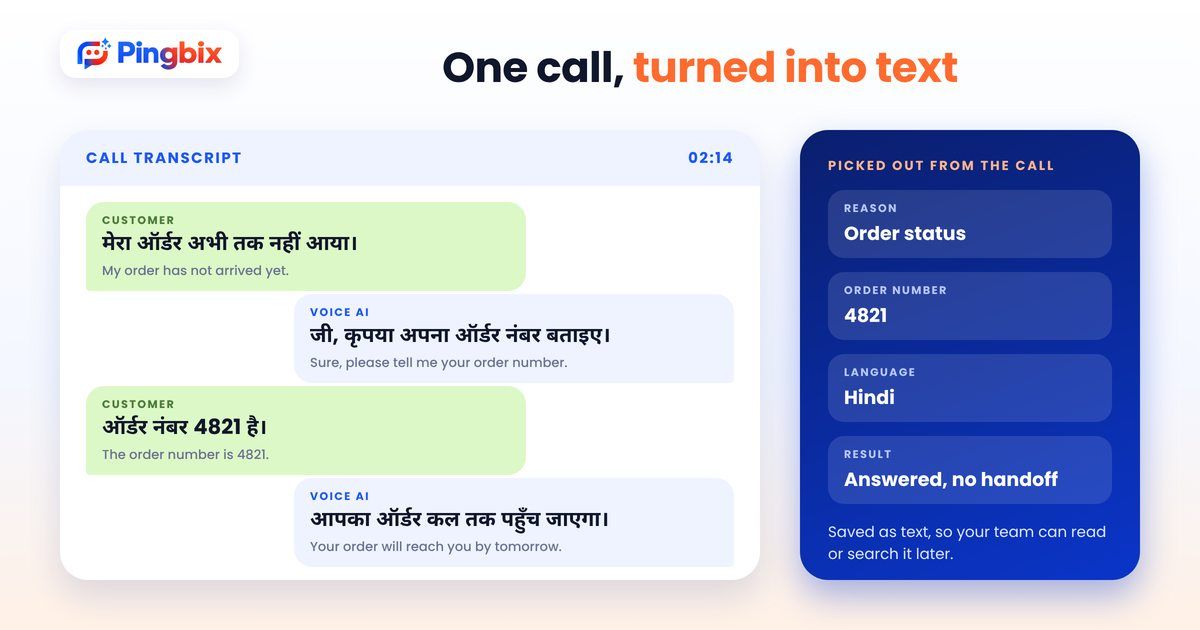
A customer calls an online store and says: "मेरा ऑर्डर अभी तक नहीं आया।"
Without speech to text:
- The call goes to a queue, and the customer waits.
- An agent who speaks Hindi picks up, asks for the order number and checks the status.
- If no Hindi-speaking agent is free, the customer waits longer, or the call is missed.
With Voice AI:
- It listens and turns the sentence into text.
- It understands that the customer is asking about an order.
- It asks for the order number, checks the status and tells the customer in Hindi when the order will arrive.
- If the customer is upset, or the case is complicated, it passes the call to your team, with the details collected so far.
- The call is saved as text, so your team can read it later.
Same customer, same sentence. One call waits in a line. The other one is answered right away. We have written about a similar flow in our post on AI handling hospital appointment calls.
Not sure which of your calls could be handled this way?
Tell us what your callers ask most, and we will help you pick the right place to start.
Which way is right for you?
So, which one is the best? It depends on what you need.
- If you want to write messages or notes by voice, use phone voice typing.
- If you want to draft a longer document, use Google Docs voice typing.
- If you have a recording to convert, use an online audio tool, and keep private calls out of it.
- If you want to handle customer calls in Hindi, you need Voice AI that is built for business use.
Most people end up using more than one. A team may use voice typing for notes, and Voice AI for customer calls. So, start with the problem you have today, and try one way first.
Pingbix builds customised AI solutions for customer conversations, such as Voice AI and an AI chatbot, and works with the channels your customers already use, including calls, WhatsApp and SMS. Our Voice AI can talk to customers in more than one language, and we start with the calls you want handled, then decide where the AI answers and where a person steps in. These ideas apply across industries, such as healthcare, finance and retail. If you want to see how follow-up calls work in practice, read about AI follow-up calls for clinics and salons.
Want to see how this would work for your own callers, not a generic demo, but built around your use case?