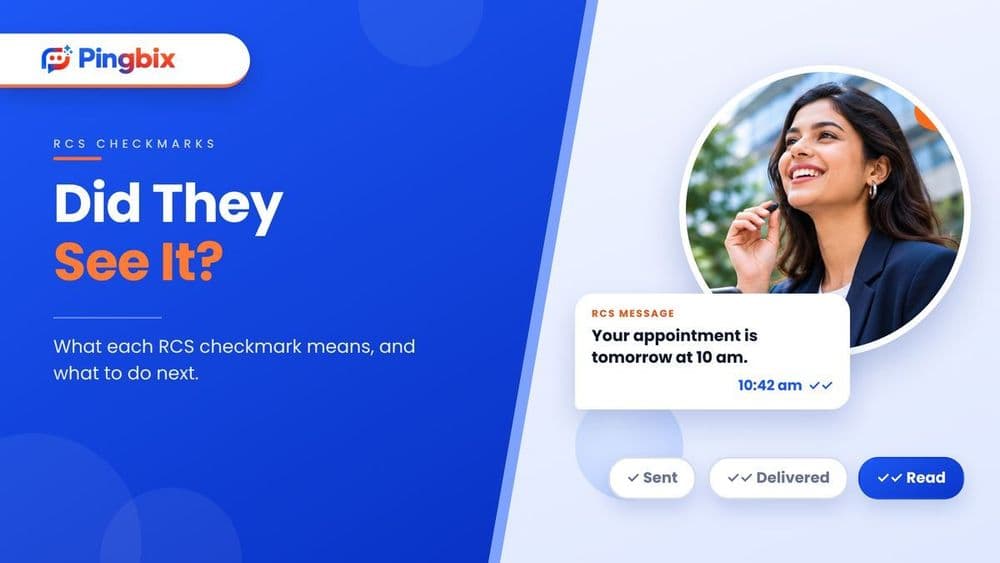
RCS Checkmarks Explained: What Sent, Delivered and Read Mean
You send an offer on RCS. Your report says "delivered". Does that mean the customer saw it?
Not yet. And that one small gap is where many businesses go wrong.
Today, many businesses are moving some of their messages from SMS to RCS. One big reason is that RCS can tell you more about what happened to a message. However, the small checkmarks next to a message are easy to misread. For this reason, in this article, I will explain what RCS checkmarks mean, how they are different from the verified badge, and how you can use them in your campaigns. So, let's get started with a quick overview.
RCS checkmarks: At a glance
Before diving into the details, let us take a look at what each sign means.
| Sign | Status | What it means | What you can do |
|---|---|---|---|
| One grey check | Sent | The RCS network has taken your message | Nothing yet. Give it a moment |
| Two grey checks | Delivered | The message reached the customer's phone | Wait. The customer may not have seen it |
| Two blue checks | Read | The customer opened the message | A good time to follow up |
| Verified badge | Not a status | Shows that the business name is verified | Get it done before you launch |
In one line: checkmarks tell you where your message is, and the verified badge tells the customer who sent it.
One thing to keep in mind: the icons can look different in different apps and phones. The table shows the common idea, and your own phone may show it a little differently.
But looking at this table, you cannot get a clear idea of what to do with each status. So, let's check them out in particular:
What do RCS checkmarks mean?
Checkmarks are small signs next to a message that show how far it has travelled. Some RCS apps, such as Google Messages, show them. The exact icons depend on the app, the phone and the customer's settings.
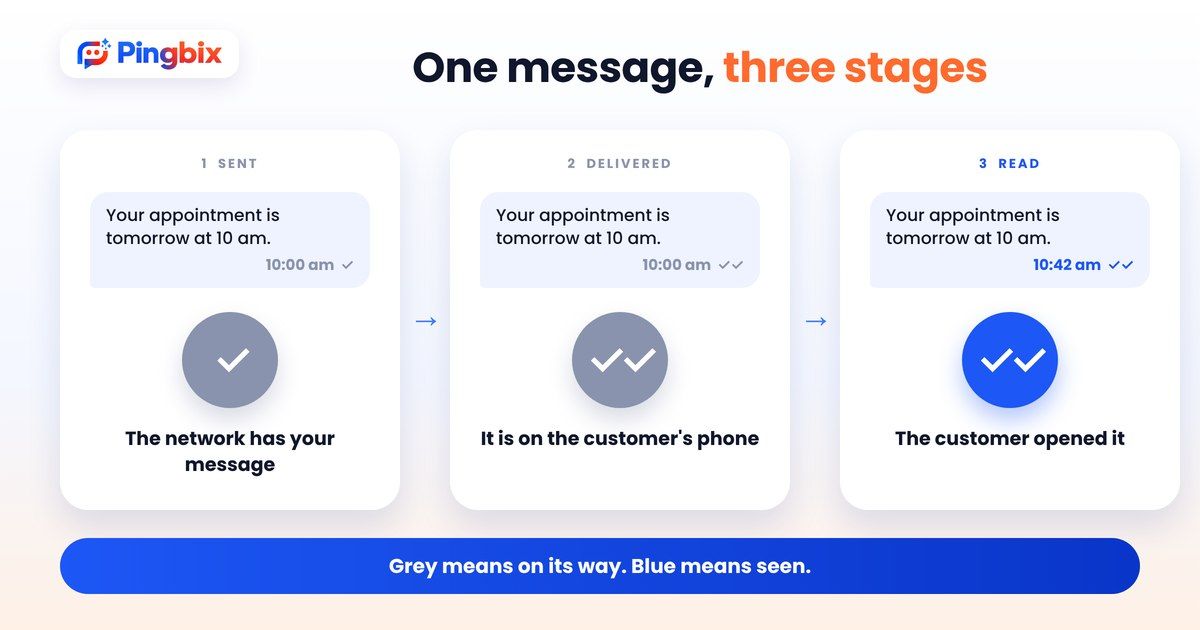
Sent
One grey check means your message has left and the RCS network has accepted it. It doesn't mean the customer's phone has received it.
Most messages move past this stage in seconds. If a message stays at "sent" for a long time, the customer's phone may be switched off or may have no internet.
Delivered
Two grey checks mean the message has reached the customer's phone. The customer may not have opened it yet.
Many messages stay at this stage for a while, and that's normal. People open messages when they have time. So, don't send a reminder right away.
Read
Two blue checks mean the customer has opened the message, and they have read receipts turned on.
This is the strongest sign you can get. The customer has seen your message, so it's a good time for a follow-up, such as a call from your sales team.
Checkmarks vs the verified sender badge
These two are often mixed up, but they do different jobs.
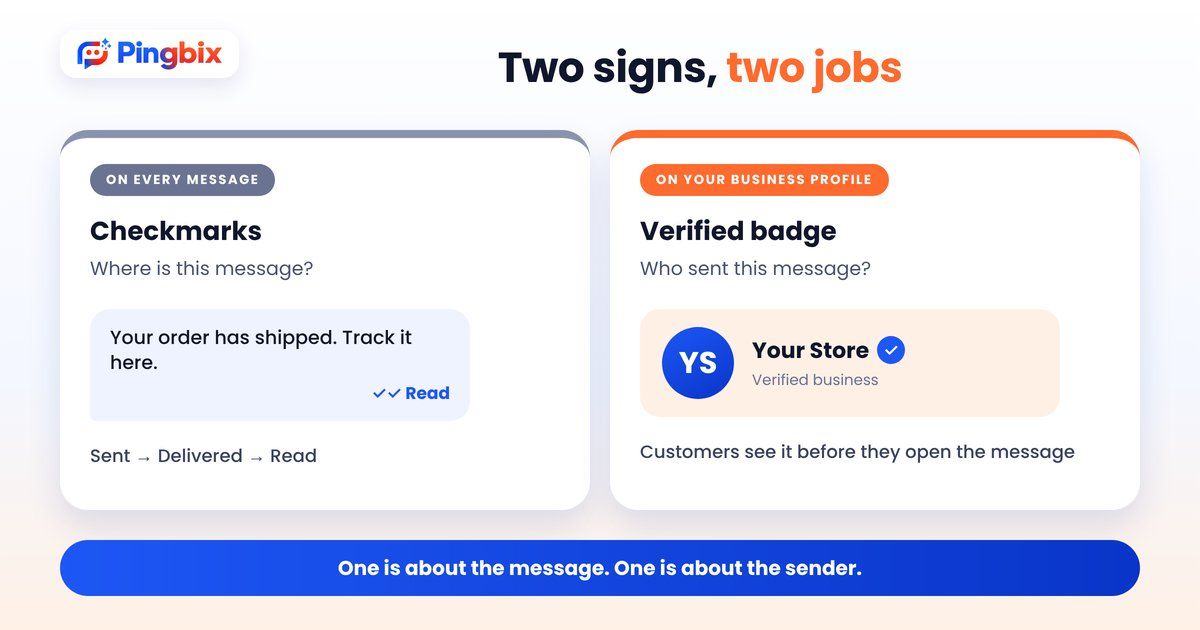
- Checkmarks are about the message. They show where one message is: sent, delivered or read.
- The verified badge is about the sender. It sits on your business profile, next to your name and logo, and shows that the brand has been verified.
The customer sees the badge before they open your message. It helps them trust that the message is really from you, and not from someone pretending to be you. That matters because many customers are careful about unknown senders.
For SMS, you register your entity, sender IDs and templates under TRAI's DLT rules. For RCS, your brand also needs to be verified before you can send. If you are planning to start, our page on RCS business messaging explains what is needed.
Why checkmarks matter for your business
With SMS, you usually get a delivery report. It tells you if the message reached the phone, but it rarely tells you if the customer opened it. You are left to guess.
With RCS, the "read" status gives you one more piece of information. And your RCS provider's reports show these statuses for every message you send. Here is what you can do with it:
- Send at the right time. If you see that most of your customers read messages in the evening, send your next campaign in the evening.
- Follow up on what matters. If a message was not read after some time, you can send a reminder on SMS or WhatsApp. If it was read but there was no reply, your team can call.
- Find interested customers. A customer who opens your offer is more likely to buy than one who doesn't. Your sales team can start with them.
If you want to know how RCS and SMS compare for different kinds of messages, read our post on which channel to use for which message.
A use case: appointment reminders at a clinic
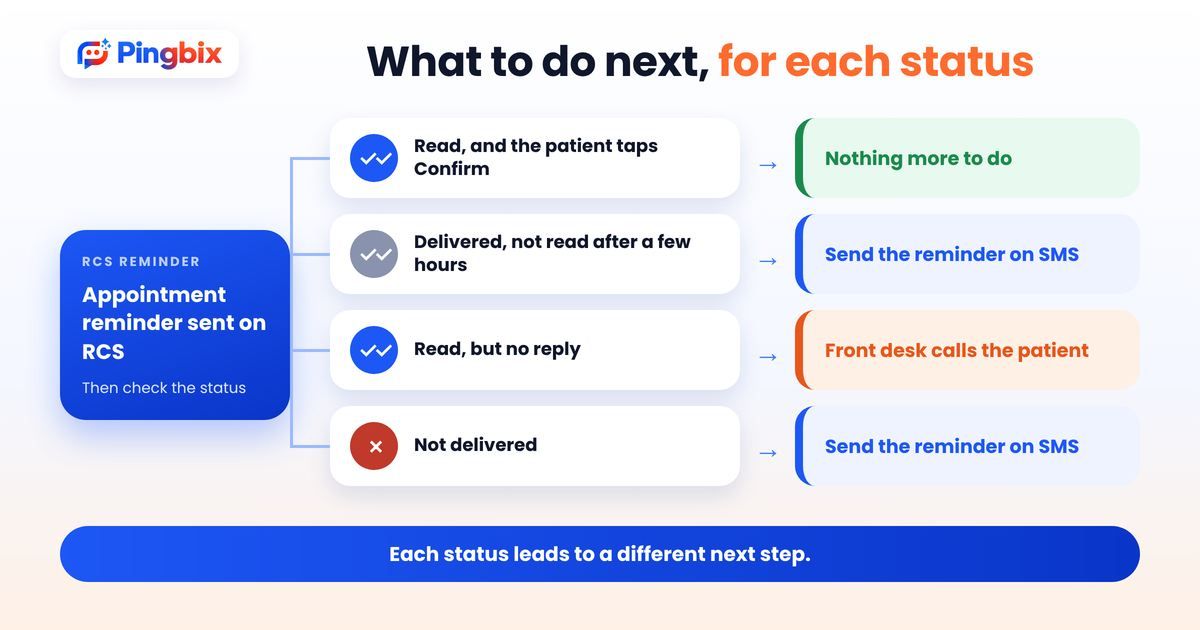
Let's say a clinic sends an appointment reminder on RCS, one day before the visit. Here is what the clinic does with each status:
- Read, and the patient taps "Confirm". Nothing more to do. The slot is confirmed.
- Delivered, but not read after a few hours. The clinic sends the same reminder on SMS.
- Read, but no reply. The front desk calls the patient.
- Not delivered. The patient's phone may not support RCS, or has no internet. The reminder goes on SMS.
Same reminder, but each status leads to a different next step. Without the statuses, the clinic would either send the same reminder to everyone or call everyone, and both waste time. We have written about similar reminders in our post on follow-up calls for clinics and salons, and the same idea works across healthcare, finance and retail.
Not sure how to use these statuses in your own campaigns?
Tell us what you send today, and we will show you how to plan the follow-ups.
What checkmarks can't tell you
Checkmarks are useful, but they are not perfect. Keep these points in mind:
- No blue check doesn't mean unread. Customers can turn read receipts off, so some people will read your message and you will never see it.
- Both sides need RCS. The customer needs an RCS-ready phone and a compatible app, such as Google Messages. Otherwise, the message can't show these statuses at all.
- Icons are not the same everywhere. Different apps and phones show different signs, and some older phones may not show read status.
- iPhones can look different. Business RCS has now reached iPhone users on Jio, as we explained in our post on Jio RCS and iPhones. However, status signs on an iPhone may look different, or may not show in the same way. Don't assume iPhone reach on every network.
- Read is not the same as interested. A customer can open a message and do nothing. Look at taps and replies too.
For this reason, it's best to keep SMS as a backup, so a message that doesn't get through still reaches the customer.
How to use checkmarks well
A few simple habits help:
- Wait before you follow up. "Delivered" is not a reason to send a reminder in the next minute. Give the customer some hours.
- Treat "read" as a hint, not a promise. It tells you the customer has seen it, not that they will act.
- Keep an SMS backup. If a message isn't delivered, or isn't read in time, move it to another channel.
- Check taps and replies, not only reads. They tell you what the customer did next.
- Test with your own customers. Statuses can differ across phones and networks, so look at your own reports before you plan around them.
So, what should you do with RCS checkmarks?
Think of the checkmarks as a way to know what to do next. Sent means wait. Delivered means give it time. Read means it is time to follow up. And the verified badge makes sure the customer trusts the message in the first place.
Pingbix helps businesses send RCS messages and keep SMS as the backup, so you can reach customers on the channel that works for them. We start with the messages you already send, then plan which ones fit RCS and what happens when a customer doesn't read.
Want to see how this would work for your own messages, not a generic demo, but built around your use case?