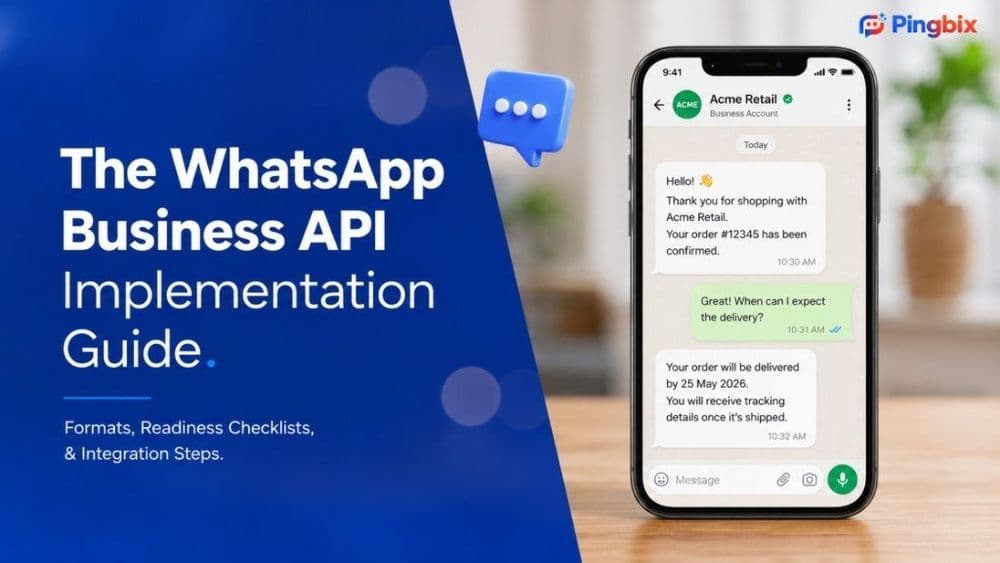
WhatsApp API Integration Guide: Everything Businesses Need to Know in 2026
Businesses no longer struggle to reach customers. The real challenge is reaching them on the channels they actually use.
With over 2 billion users worldwide, WhatsApp has become one of the most preferred communication channels for customer engagement. Whether it's lead generation, customer support, appointment reminders, order updates, or payment notifications, customers expect brands to communicate instantly and conveniently.
This is where WhatsApp Business API comes into play.
Unlike the standard WhatsApp Business App, the API enables businesses to automate conversations, integrate with existing systems, support multiple agents, and manage customer interactions at scale.
In this guide, we'll explain how WhatsApp API integration works, what businesses need before getting started, common challenges, and how to ensure a successful implementation.
What Is WhatsApp Business API?
WhatsApp Business API is an enterprise-grade messaging solution that allows businesses to communicate with customers on WhatsApp using automation, integrations, and advanced messaging capabilities.
It is designed for organizations that need:
- Multi-agent support
- CRM integrations
- Automated notifications
- Marketing campaigns
- Chatbot automation
- Customer support workflows
- Large-scale customer communication
Unlike the WhatsApp Business App, the API is not a standalone application. It must be connected with a business platform that enables messaging, automation, reporting, and customer management.
Why Are Businesses Investing in WhatsApp API Integration?
Most businesses already use multiple communication channels such as email, SMS, websites, and mobile apps.
However, managing customer engagement across disconnected platforms often creates operational inefficiencies.
WhatsApp API integration helps unify customer conversations and enables businesses to:
Improve Customer Response Times
Customers expect quick responses. Automated workflows and chatbot interactions ensure immediate engagement without increasing manpower.
Centralize Customer Communication
Sales, support, and operations teams can manage conversations from a single platform instead of switching between multiple tools.
Scale Customer Engagement
Businesses can communicate with thousands of customers simultaneously while maintaining personalized interactions.
Increase Customer Satisfaction
Customers receive updates, support, and assistance through a channel they already use every day.
WhatsApp API Integration: How It Actually Works
Many businesses assume WhatsApp API integration is simply connecting a phone number.
In reality, it involves connecting multiple components that work together.
Core Integration Components
- WhatsApp Business Account (WABA)
- Meta Business Manager
- Verified Business Information
- Business Phone Number
- WhatsApp API Platform
- CRM or Business Applications
- Automation Workflows
- Message Templates
Once integrated, customer interactions can flow seamlessly between WhatsApp and internal business systems.
Example Workflow:
Customer Inquiry → WhatsApp → Chatbot → CRM → Sales Team → Customer Follow-up
This creates a connected customer journey instead of isolated conversations.
Business Readiness Checklist Before Integration
One area most WhatsApp integration guides ignore is preparation.
Before starting the integration process, businesses should answer the following questions:
What Is Your Primary Use Case?
- Lead generation
- Customer support
- Order updates
- Appointment reminders
- Collections and payment reminders
- Marketing campaigns
Which Systems Need Integration?
- CRM
- ERP
- Helpdesk
- E-commerce platform
- Lead management software
Who Will Manage Customer Conversations?
- Sales team
- Support team
- Operations team
- Chatbot automation
Defining these requirements beforehand significantly reduces implementation challenges.
Step-by-Step WhatsApp API Integration Process
Step 1: Create or Verify Your Meta Business Account
Meta requires businesses to establish a verified business presence before accessing WhatsApp Business Platform capabilities. Business verification helps ensure authenticity and compliance.
Step 2: Create a WhatsApp Business Account
A WhatsApp Business Account (WABA) serves as the foundation for managing messaging operations and business communication.
Step 3: Register Your Business Phone Number
The phone number will become your official WhatsApp Business communication channel. Businesses should use a dedicated number for long-term scalability.
Step 4: Complete Embedded Signup
Meta's Embedded Signup process simplifies onboarding by allowing businesses to connect their WhatsApp Business Account directly through a provider's platform without complicated technical steps.
Step 5: Connect Your Business Systems
This is where the real value begins.
Integrate WhatsApp with:
- CRM platforms
- Lead management tools
- Ticketing systems
- Marketing automation software
- E-commerce applications
Step 6: Configure Templates and Automation
Create approved message templates for:
- Order confirmations
- Payment reminders
- Appointment notifications
- Customer support updates
- Marketing campaigns
Common WhatsApp API Integration Mistakes
Many businesses successfully complete setup but fail to achieve meaningful results.
Mistake #1: Focusing Only on Setup
Integration is only the beginning.
The real success comes from designing customer journeys and automation workflows.
Mistake #2: Ignoring CRM Integration
Without CRM integration, customer conversations remain disconnected from sales and support processes.
Mistake #3: Overusing Promotional Messages
Customers engage better when WhatsApp delivers value rather than constant promotions.
Mistake #4: No Reporting Framework
Businesses should monitor:
- Response rates
- Conversation volume
- Resolution times
- Conversion rates
- Campaign performance
WhatsApp API Use Cases Across Departments
Sales Teams
- Lead qualification
- Product inquiries
- Demo scheduling
- Follow-up automation
Customer Support Teams
- Ticket updates
- Self-service assistance
- Escalation management
- FAQ automation
Operations Teams
- Delivery notifications
- Appointment reminders
- Payment confirmations
- Service updates
Marketing Teams
- Promotional campaigns
- Event invitations
- Product launches
- Customer re-engagement
Why Businesses Choose Pingbix for WhatsApp API Integration
Implementing WhatsApp Business API involves more than obtaining access.
Businesses need a platform that simplifies onboarding, enables automation, supports integrations, and provides visibility into customer engagement.
With Pingbix's WhatsApp Business API solution, organizations can:
- Complete WhatsApp onboarding faster
- Manage conversations from a centralized platform
- Automate customer journeys
- Deploy chatbots and live agent workflows
- Integrate with existing business systems
- Monitor performance through detailed reporting
Whether your goal is customer support, sales automation, or engagement marketing, Pingbix helps transform WhatsApp into a scalable business communication channel.
Learn more about our WhatsApp Business API solution here: https://pingbix.com/whatsapp-api
Final Thoughts
WhatsApp API integration is no longer just a technology upgrade. It has become a strategic business initiative.
Businesses that successfully integrate WhatsApp into their customer journey can reduce response times, improve customer satisfaction, streamline operations, and create more personalized experiences at scale.
The key is not simply integrating WhatsApp but integrating it with purpose.
When combined with the right workflows, automation, and business systems, WhatsApp becomes far more than a messaging channel—it becomes a growth engine for customer engagement.