WhatsApp Business API Pricing 2026: What's Changing, What It Costs, and How to Control It
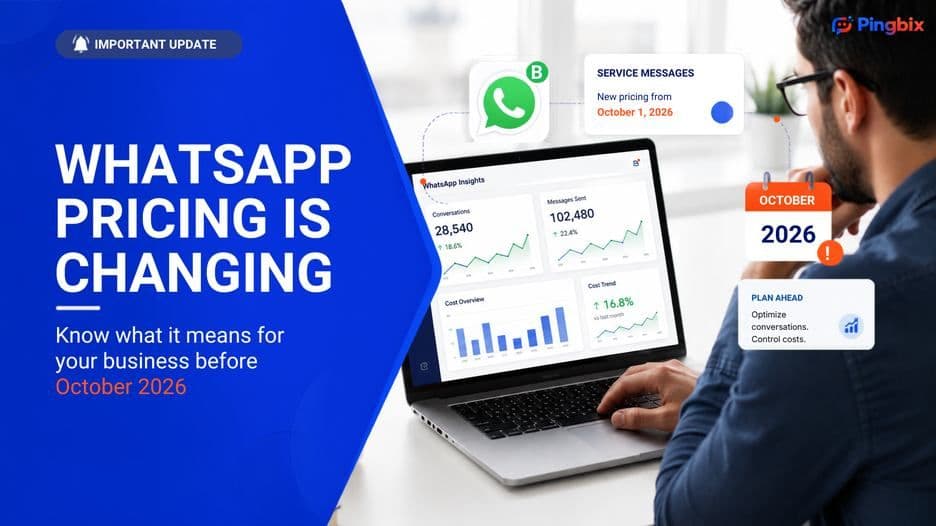
If your business runs on WhatsApp, there are two dates worth putting on your calendar this year: August 1 and October 1, 2026. Both mark real changes to how Meta charges for WhatsApp Business API messages, and between them, they touch almost every business using the platform to talk to customers. This post walks through what's actually changing, who it affects, how the pricing works once the dust settles, and what you can do now to keep your costs predictable instead of finding out the hard way in November. ## Who this actually affects Worth clearing this up first, because it changes for a lot of readers. These changes apply to the **WhatsApp Business API**, the version businesses connect through a provider to send messages at scale, integrate with a CRM, or run automation and chatbots. They do not apply to the free **WhatsApp Business App** that a small shop or solo business owner might use directly on their phone. If you're sending order updates, OTPs, support replies, or marketing messages through an API connection, this applies to you. If you're a small business chatting with customers from the free app, it doesn't. ## How WhatsApp message pricing works today Before getting into what's new, it helps to know the categories Meta already charges by, since the October change slots into this same structure rather than replacing it. **Service messages.** These are the free-form replies your team or your automation sends to a customer who messaged you first, inside a 24-hour window. Historically, these have been the "safe" category, since they've been the ones businesses didn't have to think twice about. **Utility messages.** Practical, transaction-related updates. Order confirmations, shipping status, billing information. Not promotional, but Meta still requires template approval for these. **Authentication messages.** OTPs and login verification codes, sent as a customer is signing up or logging in. If [OTP delivery](https://blog.pingbix.com/posts/pingbix-cpaas-your-solution-to-otp-authentication-challenges-in-e-commerce) is part of your stack, this is the category it falls under. **Marketing messages.** Promotions, announcements, new product pushes. Anything that isn't utility or authentication usually lands here, and this has generally been the most expensive category. **Meta Business Agent messages.** The newest category, introduced in mid-2026 for conversations handled by Meta's own AI agent. This one doesn't follow the per-message model at all, more on that below. ## What's changing, and when **From August 1, 2026**, messages sent through Meta Business Agent are billed per token instead of per message. The charge covers both the AI processing and the message delivery together, so it's a genuinely different cost structure from everything else on this list. **From October 1, 2026**, two categories that have been free lose that exemption: - **Service messages** sent within the open 24-hour window have been free since November 2024. That ends. - **Utility messages** sent as a reply within that same window have been free since mid-2025. That ends too. The 24-hour window itself stays exactly as it is. What changes is the assumption that everything sent inside it is free. Meta hasn't published exact country-by-country rates yet, they're expected by September 1, 2026, but service messages are set to be priced the same as utility and authentication templates in each market. One thing worth knowing: unlike template messages, which get cheaper as your monthly volume grows into higher tiers, service messages are expected to stay flat-rate regardless of volume. Send 100 or 100,000, the per-message cost doesn't change. ## What this looks like in a real conversation Take an online retailer. A customer messages, "Where is my order?" The business replies with a tracking link. The customer follows up, "Can I change the delivery address?" Support replies again with what's needed. Today, none of those in-window replies carry a Meta charge. From October 1, each one does. And a WhatsApp conversation is rarely just one exchange. One question from a customer can generate several messages between the customer, your support team, and whatever automation sits in the middle. At the volume most businesses operate at, that difference shows up on the invoice fast. ## Practical ways to control your WhatsApp costs from October **Redesign your highest-volume journeys first.** Look at your most common customer question, order status, delivery changes, appointment queries, and count how many messages it typically takes to resolve. If it's four or five, that's your first target. **Cut back-and-forth with structured replies.** A single, well-built reply that gives the customer everything they need, tracking link, next steps, and all, costs less than the same information spread across three separate messages. [In-chat forms](https://blog.pingbix.com/posts/leverage-whatsapp-chatbot-solutions-with-pingbix-cpaas) that collect a booking or an update in one guided screen work the same way, fewer messages for the same outcome. **Use your entry points.** Conversations that start from a click-to-WhatsApp ad or a Facebook Page CTA button get an extended 72-hour window, and that's expected to remain free regardless of the October change. If a good share of your conversations start this way, that's real breathing room. **Separate Meta Business Agent from everything else.** If you're using Meta's own AI agent, that's priced per token from August 1, a completely different calculation from the October service-message change. Don't lump the two together when estimating costs. **Reduce unnecessary automated replies.** An automated greeting or away-message sent in response to a customer's first message still counts as a reply and can trigger a charge. Use these deliberately, not as a default. ## What determines your actual cost A few factors decide what any individual message actually costs once the new rates land: **Country or region.** Meta prices messages per market, so the same message type costs differently in India than it does in the US or UK. Final October rates are expected by September 1. **Message category.** Service, utility, authentication, marketing, and Meta Business Agent messages are all priced separately, and marketing has generally carried the highest cost of the group. **Entry point.** How the conversation started matters. A conversation opened through a click-to-WhatsApp ad or Page CTA carries a longer free window than one that starts any other way. ## How this hits different teams differently **Sales teams** initiating conversations with leads are working in business-initiated territory, generally the more expensive side of the ledger. Lower-volume, higher-value sales conversations are less exposed here than high-volume, low-margin outreach. **Support teams** are the ones most affected by the October change specifically, since service-window replies are exactly what most support conversations are made of. This is also where message-count discipline pays off fastest, fewer replies per resolved query, and the difference is direct. **Marketing teams** were already paying the most per message before this change, and nothing about October reduces that. If anything, this is a good moment to review whether every promotional message is earning its cost, not just whether it's compliant. **Operations and technical teams** sending transactional alerts, payment confirmations, password resets, delivery updates, should treat these the same way support does: necessary, but worth checking for redundant or duplicate sends before they add up. ## The bottom line None of this pricing change is really about WhatsApp getting more expensive for the sake of it. It's Meta pricing service and utility messages the same way it already prices everything else on the platform. The businesses that come out ahead won't be the ones sending the most messages, they'll be the ones whose WhatsApp conversations were already built to get a customer a useful answer without five extra messages in between. If your WhatsApp setup is still built around message volume instead of message purpose, October 1 is a good deadline to fix that.