IVR

Latest posts in IVR

Multilingual Customer Support: 3 Ways to Do It and Where Voice AI Fits

Multilingual Customer Support: 3 Ways to Do It and Where Voice AI Fits

October 14, 2026•3 min read

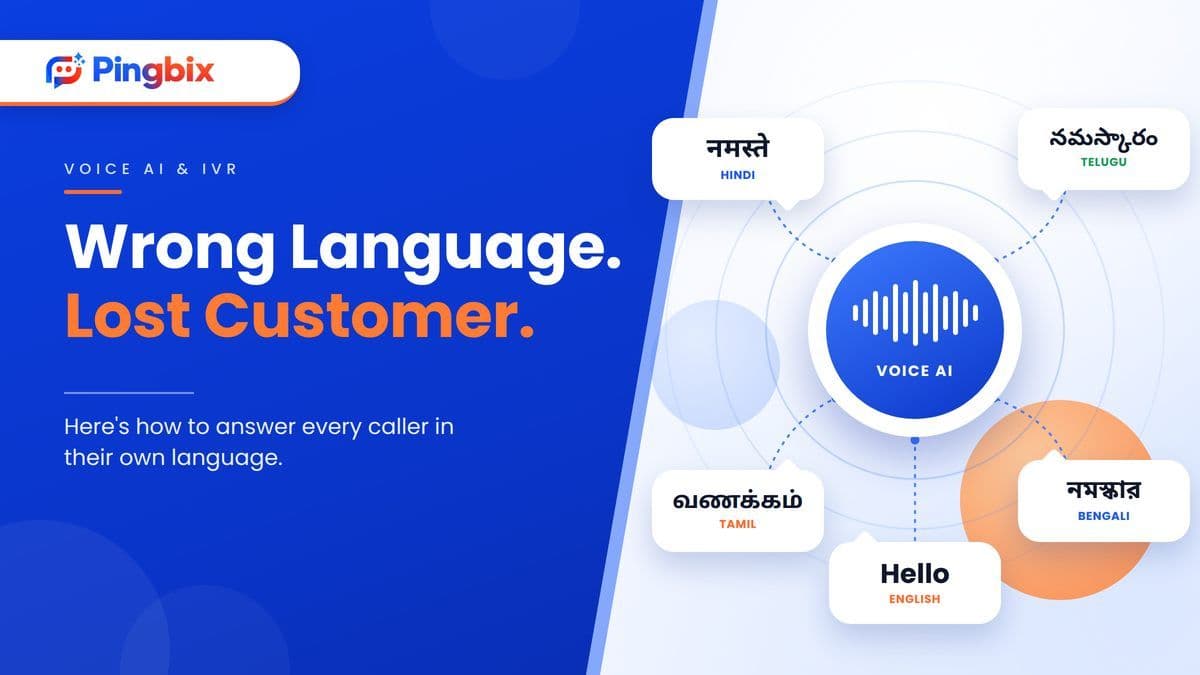
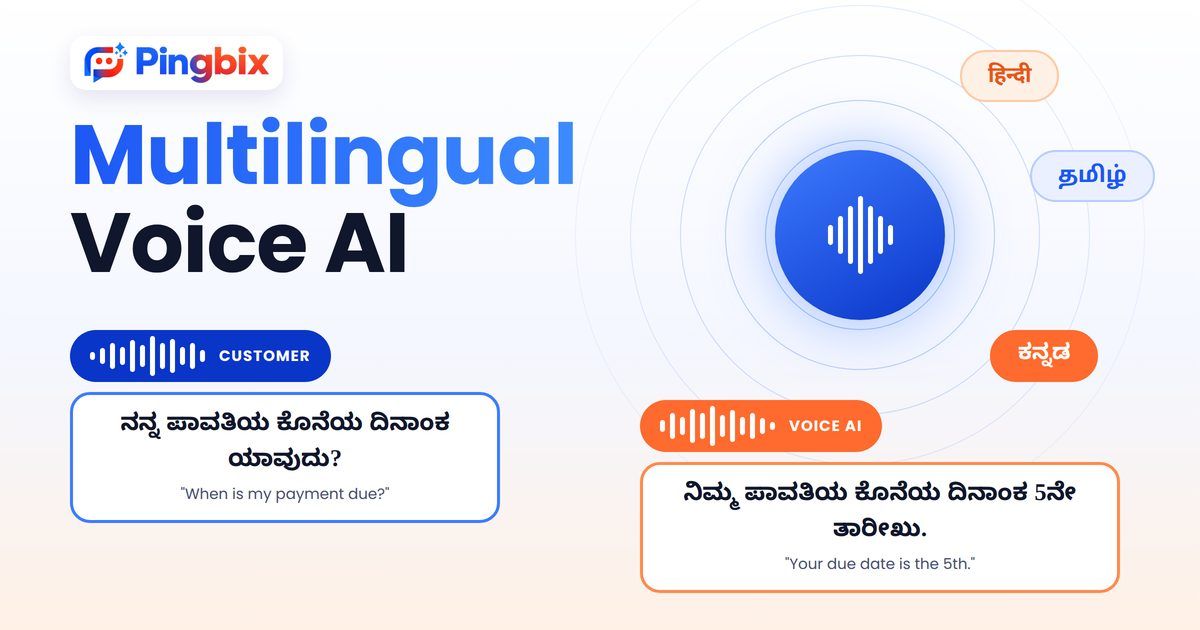
A customer calls your support line. They speak Telugu at home, a little English at work, and they'd like to explain their problem in the language they think in. Who picks up? For most businesses, the answer is whoever is on shift. If that person doesn't speak the language, the customer waits for a transfer, switches to a language they're less comfortable in, or hangs up. That's the gap multilingual customer support is meant to close. This guide covers what it means, the three ways businesses usually offer it, and where Voice AI fits in. ## What is multilingual customer support? Multilingual customer support means helping customers in the language they prefer, not only the one your team finds easiest. It covers calls, chats and messages. It isn't the same as translation. Translating a reply after the fact is slow, and it often loses tone. Real multilingual support means the customer is understood, and answered, in their own language from the first sentence. ## Why it matters more in India India has 22 officially recognised languages, and many customers move between two or three of them in a single day. Someone might read an SMS in English and still want to talk through a failed payment in Hindi. When support only works well in one or two languages, everyone else gets a worse experience. They wait longer, repeat themselves, or give up. For businesses in healthcare, fintech, logistics and education, where a call is often about money, health or a late delivery, that's a real cost. ## Three ways to offer multilingual customer support ### 1. Hire multilingual agents in-house You get natural conversations and full control over training. The catch is that every extra language means more hiring, more training and more shift planning. Covering Hindi, Tamil and Bengali at 9 pm on a Sunday is hard for any team. This works best when you need a few languages and call volumes are steady. ### 2. Use a multilingual call center Searching "multilingual call center" usually leads to outsourced teams. This gets you coverage fast, and you can add languages without hiring. That being said, quality can vary between vendors. You have less control over what's said on your brand's behalf, and you're still limited by how many people are on the line at once. ### 3. Use Voice AI Voice AI answers calls and speaks to the customer in their language. It can take routine calls, like order status, appointment timings and payment due dates, at any hour. It doesn't run out of lines during a peak. Calls that need judgment still go to your team. The AI's job is to clear the routine volume so your people have time for those. A quick note on terms: a multilingual chatbot handles text chats, while Voice AI handles phone calls. If your customers mostly call, voice is where the language gap shows up first. ## Side-by-side comparison | | Hire in-house | Multilingual call center | Voice AI | |---|---|---|---| | Language coverage | Limited to who you hire | Wider, depends on the vendor | Set up per language, and each one should be tested | | Hours covered | Your shifts | Depends on the contract | Any hour | | Peak-hour spikes | Limited by staff on shift | Limited by seats | Can take many calls at once | | Control over what's said | High | Medium | High, you decide what it says and knows | | Best for | Sensitive, high-value conversations | Quick extra staffing | High-volume routine calls in several languages | None of these is the single right answer. Many businesses combine them: Voice AI for routine calls, and their own team for the rest. Not sure which setup fits your call volume and the languages your customers actually speak? Tell us what your calls look like, and we'll help you work it out. **[Book a Demo]** ## What Voice AI can handle, and what still needs a person Voice AI does well with calls that follow a pattern: - Booking or rescheduling an appointment - Order and delivery status - Payment and EMI due dates and reminders - Simple questions about timings, policies or account details - Collecting the details of a problem before it goes to your team It's the wrong tool for an upset customer, a dispute, anything clinical or legal, or a big decision. A good setup doesn't try to do everything. It handles the routine calls well, and passes the rest to your team quickly. ## How Pingbix Voice AI fits in Pingbix Voice AI can talk to customers in more than one language, so callers can be served in the language they're comfortable with instead of the one your team happens to speak. ![Multilingual Voice AI answering a customer's payment question in Kannada](https://cms.pingbix.com/uploads/multilingual_voice_ai_kannada_inblog_v3_91a09ba57f.jpg) The right set of languages depends on who your customers are. That's why it's worth looking at your own call logs before deciding, which we cover next. ## What to check before you choose Whichever route you take, a few checks save a lot of trouble: 1. **Look at your call logs.** Which languages do your callers actually use? Start with the top two or three, not every language you can name. 2. **Test with real calls, not scripts.** Real customers have accents, mix languages mid-sentence, and call from noisy places. A demo in a quiet room tells you very little. 3. **Decide your handoff rules in advance.** Which topics always go to a person, and how fast? 4. **Track results by language.** Hold time, resolution and repeat calls. If one language lags, you'll see it. ## Start with the languages your customers already use Multilingual customer support isn't about covering every language on day one. It's about not making a customer work harder because of the language they speak. So start with the languages your callers use most, pick the setup that fits your volume, and build from there. Want to see how Voice AI would handle your own calls, in the languages your customers actually speak, not a generic demo, but built around your use case? **[Book a Demo]**
How AI Handles Hospital Appointment Calls Without Adding Staff

How AI Handles Hospital Appointment Calls Without Adding Staff

September 24, 2026•3 min read

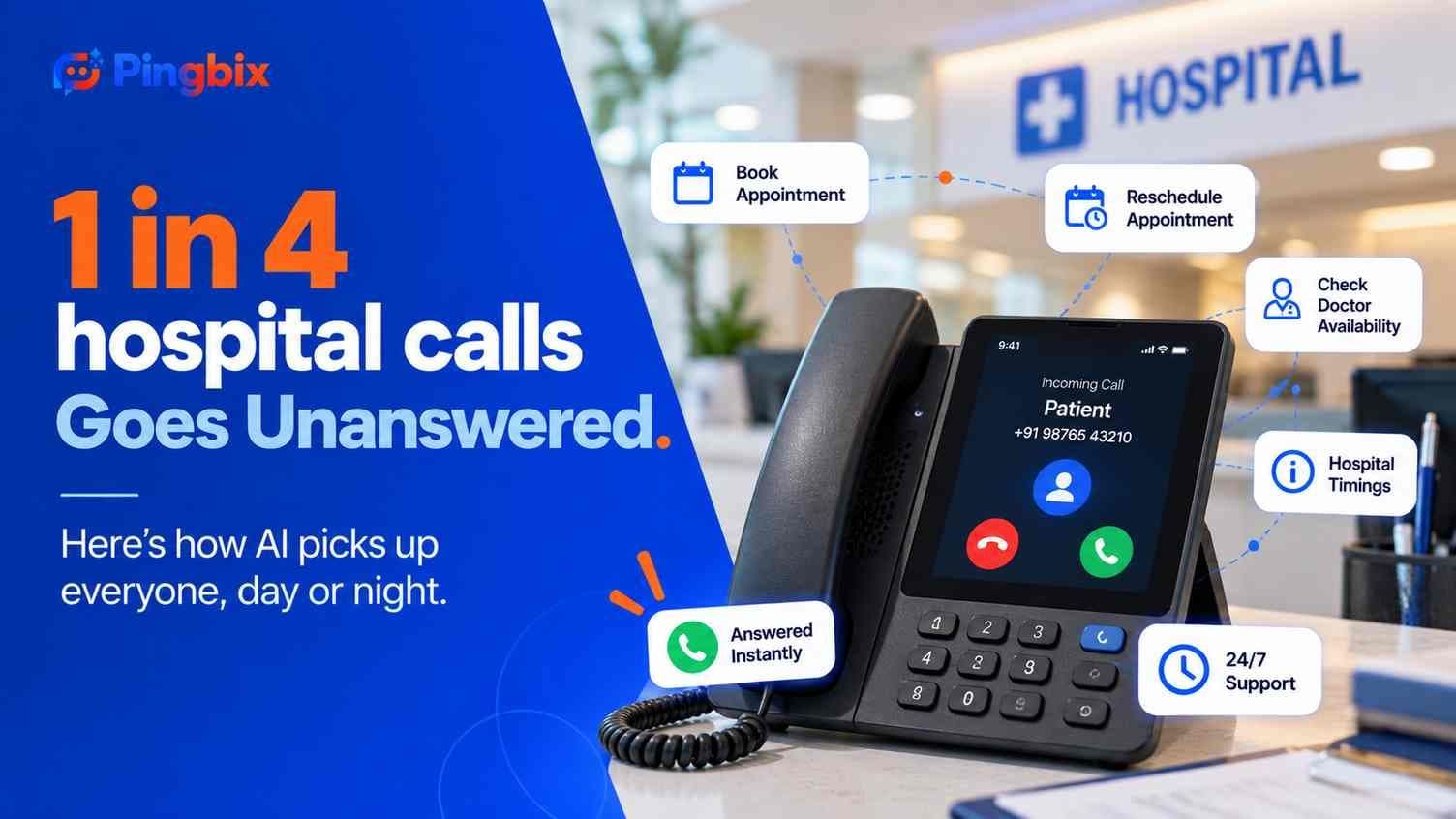
A hospital front desk gets the same ten questions, forty times a day, "Is Dr. Rao available Friday?" "Can I move my slot to evening?" "Are you open on Sunday?" None of it is complicated. All of it takes a person to answer. Here's what happens when an AI handles it instead. ## What patients are actually calling about Most hospital calls aren't complicated medical conversations. They're logistics. Availability, timing, rescheduling, confirmation. The kind of question that has a clear, factual answer sitting in a scheduling system somewhere, if only someone had a free hand to check it. That's not a small slice of hospital communication either. Close to 90% of patients still book appointments by phone at least some of the time, phone hasn't been replaced by apps and portals the way a lot of healthcare software pitches assume. Which means the front desk isn't a side channel, it's still one of the main doors into the hospital. ![Chart showing the split between routine, answerable questions and genuinely complex calls at a typical hospital front desk](https://cms.pingbix.com/uploads/ai_hospital_calls_chart_1_question_types_b591dfaa4b.jpg) ## Why hospitals still lose these calls ### Staff shortages A receptionist can be on a call, checking in a walk-in patient, or updating a file, but not all three at once. Industry-wide, medical practices report missing somewhere around one in four incoming calls, and that's with dedicated front-desk staff already in place. A single-receptionist desk is even more exposed. And the ones that do reach voicemail don't necessarily wait around either, a majority of patients hang up without leaving a message at all. ### The peak-hour crunch Call volume isn't spread evenly through the day. A meaningful share of daily calls cluster in the first and last hour of operating hours, exactly when the desk is also busiest with people physically walking in. That overlap is where calls go unanswered most often, not because staff aren't working hard enough, but because two things are competing for the same set of hands at the same time. ### After-hours gaps A significant share of appointment demand shows up outside standard hours entirely, patients booking or trying to reach someone well after the desk has closed for the day. When those calls hit voicemail, most callers don't leave a message. They don't call back tomorrow either. They call the next hospital on their list. ![Timeline showing when hospital call volume peaks against when front-desk staff are actually available to answer](https://cms.pingbix.com/uploads/ai_hospital_calls_chart_2_peak_hours_d4b8217c20.jpg) ## How Pingbix AI handles it **Instant pickup, every time.** No ring, no hold music, no "please wait, all our lines are busy." The call gets answered the moment it comes in, whether that's during the morning rush or at eleven at night. **A conversation, not a menu.** Patients ask their question the way they'd ask a person, "can I move Friday's appointment to evening", and get an answer back in kind, not a maze of "press 1 for this, press 2 for that." **Multilingual by default.** A patient more comfortable in Telugu, Hindi, or Tamil gets the conversation in that language, without needing a specific staff member on shift who happens to speak it. **Synced with the actual schedule.** Availability, rescheduling, and confirmations pull from the real scheduling system in the moment, not a stale list someone updates once a day. If a patient describes something that genuinely needs a person, a symptom, a complex case, a same-day urgent request, the call is handed to staff with the context already captured, the same escalation logic we've written about in [AI voicemail detection and smart retry](https://blog.pingbix.com/posts/ai-voicemail-detection-voice-agent-smart-retry). This fits into a pattern we've covered before too, in [how clinics use AI to follow up after every visit](https://blog.pingbix.com/posts/patients-clients-go-silent-after-visit-ai-follow-up): the calls that matter most are often the simplest ones nobody has time to make consistently. Appointment calls are the same problem from the other direction, simple, repetitive, and exactly what falls through the cracks when a desk is short-staffed. ## What this looks like in practice A patient calls at 7 PM, after the desk has closed for the day, asking to move Friday's 10 AM appointment to the evening instead. The AI checks the schedule, finds an open 6 PM slot with the same doctor, confirms it with the patient, and updates the booking. No voicemail, no callback the next morning, no patient who gave up and called somewhere else. Another patient calls during the morning rush asking whether the hospital is open on Sunday for a follow-up. A thirty-second answer, handled while the front desk is mid-conversation with someone standing right in front of them. Curious what this would actually sound like for your hospital's own call volume, not a demo script, but something built around your actual scheduling system and peak hours? **[[Book a Demo](https://pingbix.com/contact)]** ## Frequently asked questions **Does this replace the front desk staff?** No. It handles the repetitive scheduling questions that eat up staff time, so the people at the desk can focus on patients standing in front of them and calls that genuinely need a person. **What happens if a patient describes a symptom or something urgent?** The call is handed to staff immediately, with everything the patient already said, so they don't have to repeat themselves. **Can it actually book into our existing scheduling system?** Yes. It works against the same scheduling system your staff already uses, so availability and bookings stay accurate in real time. **Does it work outside office hours?** Yes, that's one of the main gaps it closes. Calls get answered at any hour, not just during staffed shifts.

Your Patients and Clients Go Silent After Every Visit. Here's Why That's Costing You

Your Patients and Clients Go Silent After Every Visit. Here's Why That's Costing You

September 16, 2026•3 min read

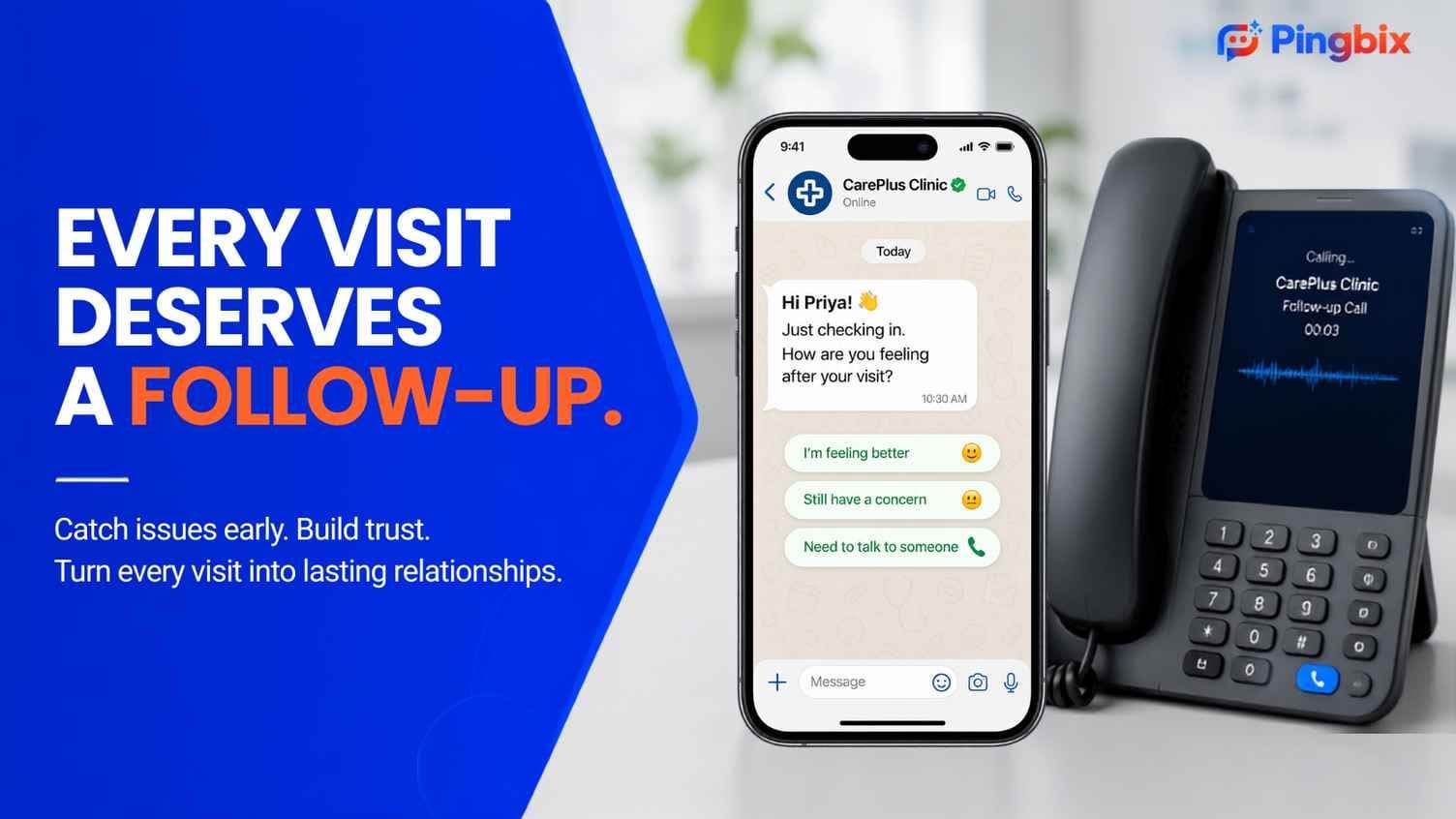
A patient walks out of a clinic. A client leaves a salon chair. For most businesses, that's the last contact until the next booking. But that silence has a cost — missed complications, missed reviews, and customers who quietly stop coming back. Here's how a simple follow-up call, done automatically, changes that. ## Why follow-up calls actually matter A follow-up call does more than it looks like it does on paper. ### Catching problems early For a clinic, it's often the moment a small complication gets noticed before it turns into a bigger problem or an unhappy patient. A quick "how are you feeling" call can catch something worth flagging days before a patient would think to call in themselves. ### Building trust that brings people back For a salon, it's a chance to hear that a client loved their new color, or didn't, while there's still time to make it right. That single call is often the difference between a client who quietly switches salons and one who comes back for their next appointment. ### Earning reviews and referrals A customer who gets a genuine check-in call is far more likely to leave a review or mention the business to a friend than one who never hears from the business again after paying. ![Follow-up call conversation on WhatsApp](https://cms.pingbix.com/uploads/follow_up_call_app_81c1f660c5.jpg) ## Why most businesses don't do it consistently Everyone agrees follow-up calls are worth doing. Almost nobody does them for every single visit, and the reasons are consistent across clinics and salons alike. **Time and staffing.** Front desk and support staff are already stretched across bookings, walk-ins, and the phone ringing for something else entirely. Follow-up calls get pushed to "when there's time," which in practice means rarely. **Cost.** Hiring someone specifically to make outbound follow-up calls doesn't make sense for most small and mid-sized clinics or salons. The volume doesn't justify a dedicated role, but it's still more than existing staff can absorb. **No easy way to capture what's actually said.** Even when a call does happen, what comes out of it usually stays in one person's head, or a scribbled note at best. There's rarely a structured way to know that three patients this month mentioned the same side effect, or that clients keep bringing up the same issue with a specific service. That pattern is exactly what a business owner needs to know, and exactly what manual calling almost never surfaces. ## Why this is a strong use case for AI It's worth being direct about why this specific task suits AI well, beyond just saving staff time. - **It's naturally non-judgmental.** A patient or client is often more comfortable being honest with a calm, neutral voice than telling a person they know they might disappoint. - **It handles language without friction.** A call can run in the language the customer is actually comfortable in, without needing a specific staff member available at that moment. - **It listens the same way every time.** No fatigue, no distraction, no call 40 of the day sounding rushed compared to call 3. - **It's available around the clock.** A patient who prefers an evening call, or a client easier to reach on a weekend, doesn't have to wait for staff hours to line up. None of this replaces a doctor's judgment or a stylist's relationship with a regular client. It just means the specific, repetitive task of checking in after every visit finally gets done for every visit, not just the ones staff happened to have time for. ## How Pingbix AI handles follow-up calls ### Automatic outbound calling The call goes out on its own once a visit is logged — no manual dialing, no one remembering to add a name to a list. ### A natural conversation, not a script It asks how the patient or client is doing and listens for anything that sounds like a concern, responding the way a person would, not reading a fixed script in a flat tone. ### Knowing when to bring in a human If something comes up that needs real judgment — a patient describing a symptom, or a client asking for a same-week correction appointment — the call gets handed to a person, with the context already captured. Nobody has to start the conversation over. This works on the same logic behind [AI voicemail detection and smart retry](https://blog.pingbix.com/posts/ai-voicemail-detection-voice-agent-smart-retry) — if a call doesn't connect the first time, it tries again at a smarter time instead of quietly dropping off the list. ![AI voice agent handing off a call to a human agent](https://cms.pingbix.com/uploads/human_handoff_5a5f4d36a6.jpg) ### Turning calls into insights for business leaders Every call gets logged and structured, not left in someone's memory. If the same concern comes up across multiple patients, or the same complaint shows up across several clients, that pattern shows up in a dashboard business leaders can actually see. It's the same principle behind [AI in contact centers turning conversations into usable data](https://blog.pingbix.com/posts/ai-in-contact-centers-enhancing-experiences-and-ensuring-data-privacy-through-cpaas), applied here to something as simple as a check-in call. ## What this looks like in practice A patient had a minor procedure earlier in the week. The next day, a call goes out, asks how they're feeling, and listens for anything unusual. They mention some discomfort that's a little more than expected. The call gets handed to a nurse, who already has the full context of what was said, no re-explaining required. A salon client got a fresh color three days ago. The call checks in, and the client mentions they love it and might book a cut next month. That gets logged too, not just as a good call, but as a warm lead for the next booking. This kind of consistent, structured follow-up fits naturally alongside other ways [CPaaS is already reshaping healthcare communication](https://blog.pingbix.com/posts/transforming-healthcare-with-cpaas-technology-a-new-era-of-personalization) — appointment reminders, prescription updates, and now, the check-in call that used to fall through the cracks. Curious what a follow-up call like this would actually sound like for your clinic or salon, not a mockup, but something built around how your visits actually go? **[Book a Demo](https://api.whatsapp.com/send/?phone=919667537447&text=Hey+I+am+interested&type=phone_number&app_absent=0)** ## Frequently asked questions **Does an AI follow-up call sound robotic?** No. It's built to hold a natural back-and-forth conversation, asking how someone's feeling and responding to what they actually say, not reading a fixed script. **Can it call in different languages?** Yes. The call can run in whichever language the patient or client is comfortable in. **Does this replace staff who currently make follow-up calls?** No. It covers the calls that mostly weren't happening consistently in the first place, and frees staff to focus on calls that genuinely need a person. **Is the data from these calls usable for anything beyond the call itself?** Yes. Patterns across calls — repeated concerns, common feedback — get surfaced for business leaders instead of staying in individual notes.

Google Voice and RCS: Why This Confusion Matters More Than You Think

Google Voice and RCS: Why This Confusion Matters More Than You Think

February 6, 2026•3 min read

There was a time when sending a text message was considered enough. A short SMS delivered the information, the customer read it, and the conversation ended there. That model worked when expectations were lower and communication was mostly one-way. Today, customer messaging looks very different. People expect branded messages, clear context, quick actions, and seamless experiences inside the messaging apps they already use every day. As businesses explore modern messaging options, one question keeps coming up repeatedly. **Does Google Voice support RCS?** The short answer is no. But understanding *why* it does not support RCS matters far more than the answer itself. ## What Google Voice Was Designed to Do Google Voice is a cloud-based VoIP service that provides users with a virtual phone number. Unlike traditional mobile numbers tied to a SIM card, Google Voice numbers exist online and can be accessed across multiple devices. It was designed to simplify calling and basic messaging. Over time, Google Voice became popular among freelancers, small teams, and individuals who needed a flexible number without managing multiple phone lines. ### Core Capabilities of Google Voice Google Voice works well for: - Making and receiving calls over the internet - Forwarding calls across multiple devices - Accessing voicemail with transcription - Sending basic SMS messages However, Google Voice was never built for modern, interactive business messaging. Its foundation is voice-first, not engagement-first. ## Why Google Voice Does Not Support RCS RCS, or Rich Communication Services, is designed to deliver a richer messaging experience. It supports verified senders, branded messages, rich media, interactive buttons, read receipts, and delivery insights. Even though Google actively promotes RCS, Google Voice does not support it. This is not an oversight. It is a structural limitation. ### The Technical Reason Behind the Limitation When a message is sent through Google Voice, it passes through Google’s cloud infrastructure and is converted into a standard SMS before reaching the recipient. This conversion removes the data layer required for RCS features to function. RCS depends on a persistent, carrier-level data connection between devices. Google Voice breaks that connection by translating messages into legacy SMS, which prevents RCS elements from being delivered. This limitation applies even when the recipient uses an RCS-enabled device. ## Google Voice vs Google Messages: Clearing the Confusion Many businesses assume Google Voice should support RCS because Google Messages does. Google Messages is the default messaging app on many Android devices. It connects directly with mobile carriers and fully supports RCS features. Google Voice is a separate service with a different purpose and infrastructure. While both products come from Google, they are not interchangeable and should not be evaluated the same way. Understanding this distinction is critical when designing a business messaging strategy. ## What Businesses Lose Without RCS For business communication, the gap between SMS and RCS is significant. Messages sent through Google Voice appear as unverified numbers. There is no brand identity, no logo, and no trust indicator. Messages are limited to plain text, and there is no visibility into whether a message was read or acted upon. ### What RCS Enables for Businesses RCS allows businesses to: - Display a verified brand profile - Send rich images, videos, and cards - Use interactive buttons for customer actions - Track delivery and read performance - Guide customers through structured conversations For industries such as banking, retail, travel, healthcare, and logistics, these capabilities directly influence trust, engagement, and conversion. ## Why Google Voice and RCS Serve Different Business Needs Google Voice is effective for its intended purpose. It handles calls and simple messages reliably. RCS for Business serves a different role. It is designed for scalable customer engagement rather than individual communication. It supports structured campaigns, automation, and branded experiences. Google Voice focuses on convenience. RCS focuses on interaction, trust, and measurable outcomes. This is why businesses eventually outgrow Google Voice when messaging becomes central to customer communication. ## How Businesses Can Use RCS Properly RCS is not available through consumer-grade tools. Businesses require a platform that integrates directly with mobile carriers and supports enterprise messaging requirements. ### Capabilities of a Professional RCS Platform A business-grade RCS platform enables: - Sender verification and brand identity - Rich message templates and layouts - Automated campaign workflows - Delivery and engagement analytics - Compliance with regional regulations - Multi-channel messaging support These features allow businesses to move beyond plain text and deliver meaningful customer interactions. ## Handling Devices That Do Not Support RCS A common concern is device compatibility. Modern messaging platforms address this through intelligent routing. Before sending a message, the platform checks whether the recipient’s device supports RCS. If RCS is supported, the message is delivered with full rich functionality. If not, the message is delivered through an alternate channel such as SMS. This ensures reliable delivery without requiring businesses to manage multiple systems or workflows. ## What This Means for Businesses Today Google Voice continues to be useful for calling and basic messaging. However, it is not built for branded, interactive customer communication. As expectations evolve, businesses need messaging channels that support trust, interaction, and measurement. RCS meets these requirements by combining the reach of traditional messaging with modern user experience. The real question is not whether Google Voice supports RCS. The real question is whether Google Voice fits the future of business messaging. ## Conclusion Google Voice does not support RCS because it was never designed for rich, data-driven messaging. While it remains effective for calls and basic texts, it falls short for businesses that need scalable, interactive communication. RCS for Business represents a new standard. It enables verified branding, richer interactions, and measurable engagement across supported devices. For businesses planning their communication strategy for the years ahead, understanding this distinction is essential. RCS is not an upgrade to Google Voice. It is a different category of messaging, built specifically for modern customer engagement.

How To Overcome Password Woes with Pingbix's Email and IVR Solutions

How To Overcome Password Woes with Pingbix's Email and IVR Solutions

April 17, 2024•3 min read

Smooth communication is essential in the fast-paced world of e-commerce to ensure customers have a hassle-free and easy purchase experience. However, people may become frustrated and unsatisfied when communication channels falter. Many leading e-commerce sites suffer from this problem when users have trouble resetting their passwords. A customer of a brand reported that although the website appeared to send password reset links, they never received them in their inbox. This glitch not only caused inconvenience but also eroded trust in the platform's reliability. A study conducted jointly by MasterCard and the University of Oxford says about a third of online purchases are abandoned at checkout because customers can’t remember their passwords. ## Pingbix Offers A Smoother Path Are you looking for a solution to address the password woes that your customers are facing with? This brings us Pingbix, a trusted provider of CPaaS (Communication Platform as a Service) solutions. With Pingbix, password reset problems can be solved efficiently, thanks to our range of communication tools such as email and IVR (Interactive Voice Response). ### Here’s how: #### 1. Safe and Easy Email Authentication - **Goodbye, Security Questions**: Say goodbye to antiquated security questions that are simple for hackers to figure out. A special code is sent by Pingbix email verification straight to the user's registered email account. When changing passwords, two-factor authentication provides a more convenient and safe method of identity verification. - **Seamless Password Reset Flow**: Users who request a password reset are sent an email that clearly states what has to be done. They are taken to a secure password reset website by clicking the link, which removes any confusion and streamlines the procedure. #### 2. Multi-Channel Password Resets with IVR - **Catering to Diverse Users**: Not all users are email fans. Users can reset their passwords with Pingbix's Interactive Voice Response (IVR) solutions by placing a secure, automated phone call. This serves customers who might prefer voice-based instructions or do not have instant access to email. - **Enhanced Accessibility**: Users who prefer audio instructions or who have visual impairments can become more accessible with IVR password resets. This guarantees everyone has an inclusive experience. But the benefits didn't stop there. Your current systems can improve overall user communication and security by implementing Pingbix's CPaaS solutions, which include transactional alerts, two-factor authentication (2FA) for logins, and account verification for new users. ## Don't Let Passwords Be a Pain Point! By partnering with Pingbix, you can give your customers an authentication process that is both more secure and easy to use. Reduce password woes, improve user experience, and build trust with secure and convenient communication solutions. Get in touch with Pingbix right now to find out more about how their CPaaS solutions may assist you in overcoming password challenges and giving your customers a more seamless user experience.

From Landlines to IVR: Enhance Your ECommerce Customer Service

From Landlines to IVR: Enhance Your ECommerce Customer Service

April 13, 2024•3 min read

In the modern era, answering customer questions over the phone is no longer appropriate. You may be surprised to learn that every day, about 57% of customer calls are placed on hold! Businesses that prioritize their customers must use cutting-edge technologies like live chat and IVR in light of this concerning problem. IVR solutions, which use dynamically-recorded audio, can assist businesses in promptly responding to client inquiries. ## IVR – What is it? We all encountered the voice telling us to “press 1 to activate your caller tune, press 9 to speak with our customer care executive”. But, have you ever wondered what is the technology behind the automatic voice responses? It is a popular IVR technology that helps the businesses to connect their customers to their brands. ## How Pingbix’s Smart IVR Service Improves Your Customer Service? Customers who use traditional IVR systems may find it frustrating to sort through confusing menus and understand unclear prompts. Moreover, customer service representatives are overloaded with never-ending calls related to different issues. Despite their best attempts to give every customer call their full attention, they frequently fall short of providing personalized service. However, with Pingbix Smart IVR, service representatives can increase their productivity and reduce errors while offering customers timely and customized solutions. ### Let’s learn how… ### Reduced Errors in Query Handling Customers can interact with a business's host system via an IVR voice conversation and can automatically handle a lot of inquiries. This allows customer support representatives to alleviate their workload and attain greater efficiency in providing exceptional customer experiences. IVR increases the productivity and efficiency of service representatives by automatically directing calls to the appropriate agent based on the critical information provided by customers. It is also a helpful tool for prioritizing calls and grouping them together. Most pressing inquiries can be routed to representatives who have handled cases similar to theirs in the past, resulting in lesser chances of errors in query handling. ### Increase Loyalty With Pingbix’s IVR system's predictive behavioral routing feature, you can analyze previous interactions with the customer and deliver personalized experiences. When customers receive consistent, personalized attention for their inquiries, they feel valued and appreciated. Furthermore, customers are more likely to stick with your brand. **Did you know?** 89% of customers say they are more likely to come back and make another purchase after receiving good customer service. ### 24/7 Availability with Consistent Experience Consistent and dependable customer service is offered 24/7 via smart IVR. Smart IVR is always available to answer simple questions, receive payments, and route customers to the right resources—unlike human agents who have set working hours. This guarantees a flawless client experience at all times of day or night. ### Improved First Contact Resolution (FCR) A greater FCR is the result of smart IVR's capacity to understand spoken language and accurately route callers. Pingbix’s IVR service eliminates the need for multiple transfers and guarantees customers receive the resolution they require on the first attempt by connecting them to the most qualified person or appropriate information straight away. ### Omnichannel Integration Email and chatbots are two examples of how well smart IVR combines with other customer support channels. This improves the overall customer support experience by making it simple for customers to transition across channels and maintain a consistent conversation history. ## Transform Your Customer Service with Pingbix’s IVR Service Ready to elevate your customer service and build lasting relationships with your customers? Pingbix IVR is the key. Gone are the days of using traditional landlines and conventional IVRs. With its personalized service, and data-driven insights, Pingbix empowers you to create a seamless and satisfying customer experience from the very first interaction. Contact Pingbix today to learn more about how our IVR service can revolutionize your customer service strategy!